Ask a classroom of kids what they want to be when they grow up, and you'll hear fewer "astronauts" and a lot more "YouTuber." It's not a passing fad — it's where a huge share of childhood attention already lives. Pew Research Center found that nine in ten U.S. teens use YouTube, with 73% checking it daily, so it's little wonder many kids want to be on the other side of the camera, not just watching. (Pew Research Center, 2024)
If your child has asked to start a channel, post dance videos, or go live while gaming, you don't need to shut the dream down. You do need a plan. A little structure up front means your family can say yes to the creativity while keeping the parts that matter — privacy, safety, and your child's peace of mind — firmly in place.
Why This Dream Feels So Big Right Now
Posting content today is easier than ever, and the feedback — likes, comments, view counts — is instant and designed to keep people coming back. For a child, the appeal isn't really about fame. It's about being seen, making people laugh, and feeling connected to something bigger. That's a healthy impulse. The job for parents isn't to dismiss it, but to help a child pursue it in a way that doesn't expose more of their life — or their location, routine, or identity — than they intend to.
It also helps to know the guardrails already built into the system. In the United States, the Children's Online Privacy Protection Act (COPPA) limits how platforms can collect personal information — like a child's name, photo, voice, or location — from users under 13 without a parent's consent. In February 2026, the Federal Trade Commission issued a policy statement encouraging platforms to adopt more reliable age-verification technology ahead of new COPPA rule changes, a sign that regulators see extra protection for young creators as a continuing priority. (Federal Trade Commission, 2026)
What's Actually at Stake When a Child Posts Publicly
Most of the risk in this space isn't dramatic — it's quiet and easy to miss. A video filmed in a bedroom can reveal a school logo on a hoodie, a street sign through a window, or a younger sibling's face in the background. A livestream chat can turn into a stream of comments from strangers your child has never met. And once something is posted, it's genuinely hard to make it fully disappear, even after deletion, because screenshots and reposts travel fast.
None of this means your child shouldn't create. It means the content and the account settings deserve a parent's eyes before the "post" button does, every single time, for as long as your child is a minor.
A Family Framework Before Hitting "Publish"
Instead of a long list of "no's," try building a short, shared checklist your child understands and agrees to. It works best when it's a conversation, not a lecture.
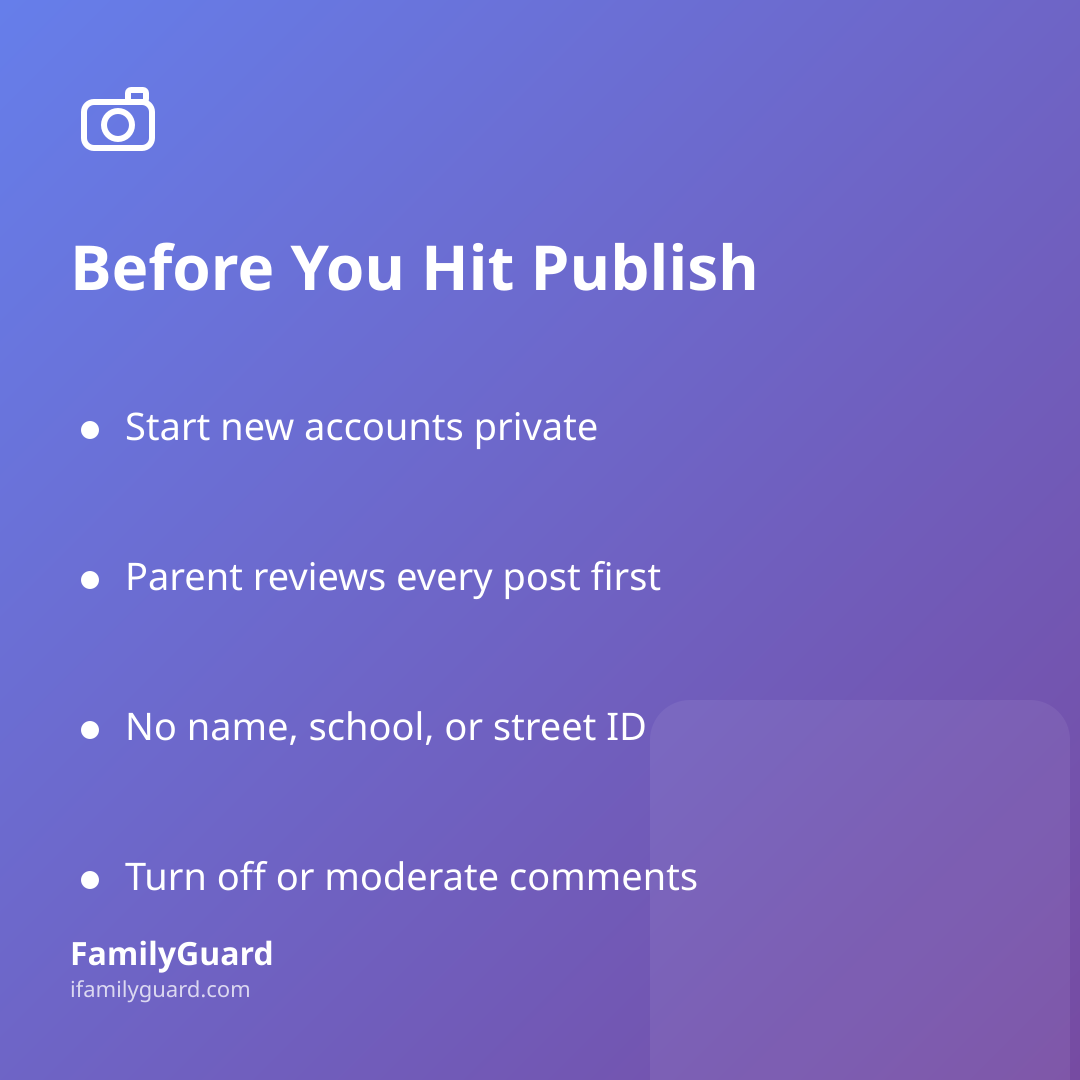
- Start private. Keep new accounts set to private or "friends/family only" while your child is learning what they're comfortable sharing — public can always come later, once there's trust and a track record.
- Review before you post, not after. Agree that every video or livestream gets a quick parent look — for background details, other people in frame, and anything that hints at a home address, school, or daily routine.
- No personal identifiers. Full name, school, team, street, or birthday shouldn't appear in a username, bio, caption, or background — even a yearbook photo or jersey number can be enough for a stranger to piece together.
- Turn off or moderate comments. Many platforms let you filter, disable, or require approval on comments for younger creators. Use it.
- Check the platform's own age rules. Most major platforms require users to be at least 13, with extra protections for known child-directed content. Those rules exist for a reason — don't help a child route around them.
- Agree on where filming happens. Public parks, friends' houses, or after-school filming sessions are fine — just like any other outing, it helps for parents to know where and for how long, the same way you'd want to know before any outing with friends.
Talking About Strangers, Comments, and the Need to Be Liked
The hardest part of this isn't the settings menu — it's the emotional side. Kids chasing views can start to measure their worth in numbers, and a harsh comment from a stranger can land harder than anything said in person. Keep checking in with open questions rather than warnings: "What's the funniest comment you got this week?" or "Did anything someone said feel weird or off?" This keeps the door open for your child to bring you the uncomfortable stuff, instead of hiding it because they're afraid you'll take the camera away.
A simple house rule that works well: nobody from the internet becomes a "friend" who gets personal details, a phone number, or a meet-up — no exceptions, no matter how nice they seem in the comments.
It's also worth naming, gently, that not every stranger online is who they claim to be, and that kind comments and mean ones can both be attempts to get a reaction. Kids who understand that going viral is "a nice bonus, not the goal" tend to handle both praise and criticism with a lot more balance.
Keeping the Fun in It
None of this has to feel heavy. Plenty of families turn content creation into something they genuinely enjoy together — co-writing a sketch, helping edit a highlight reel, or celebrating a milestone like 100 subscribers with pizza. The goal is simply to make sure your child's creative outlet never grows faster than their understanding of privacy, strangers, and what can't be taken back once it's posted.
Review the settings every few months, not just once. Platforms change their rules, your child's interests evolve, and what felt right at age 10 may need adjusting at 13. A quick, calm recheck — done together, not as a surprise inspection — keeps trust intact while keeping the guardrails current.