Your family lands at the airport, checks into the hotel, or settles into a booth at a café — and the first thing almost everyone does is look for the Wi-Fi password. It's such a normal part of travel and daily life that most of us don't think twice about it. But "is this network safe?" is a fair question, especially when kids are the ones connecting too.
The good news: public Wi-Fi isn't the digital danger zone it used to be. The better news: the habits that keep your family safe on it are simple, teachable, and don't require anyone to become a tech expert.
Public Wi-Fi has actually gotten safer
It's worth saying clearly, because so much online safety advice leans on fear: the internet has changed a lot since the early days of "never use public Wi-Fi." According to the Federal Trade Commission (2023), most websites and apps now encrypt the information sent between your device and the site itself, which means a stranger sitting nearby on the same network generally can't see what you're typing or browsing. The FTC's own guidance puts it plainly: public Wi-Fi is safer today than it once was, precisely because encryption has become the default rather than the exception.
That doesn't mean there's nothing to think about — it just means the real risks have shifted. The bigger concern today isn't someone "listening in" on an encrypted connection. The FTC notes that scammers can build fake websites and encrypt them too, so your data may be encrypted on its way to the site but still unsafe once it gets there. In other words, the risks that matter now are things like fake login pages, reused passwords, and out-of-date apps — risks a family can actually do something about.
The habits that matter more than the network itself
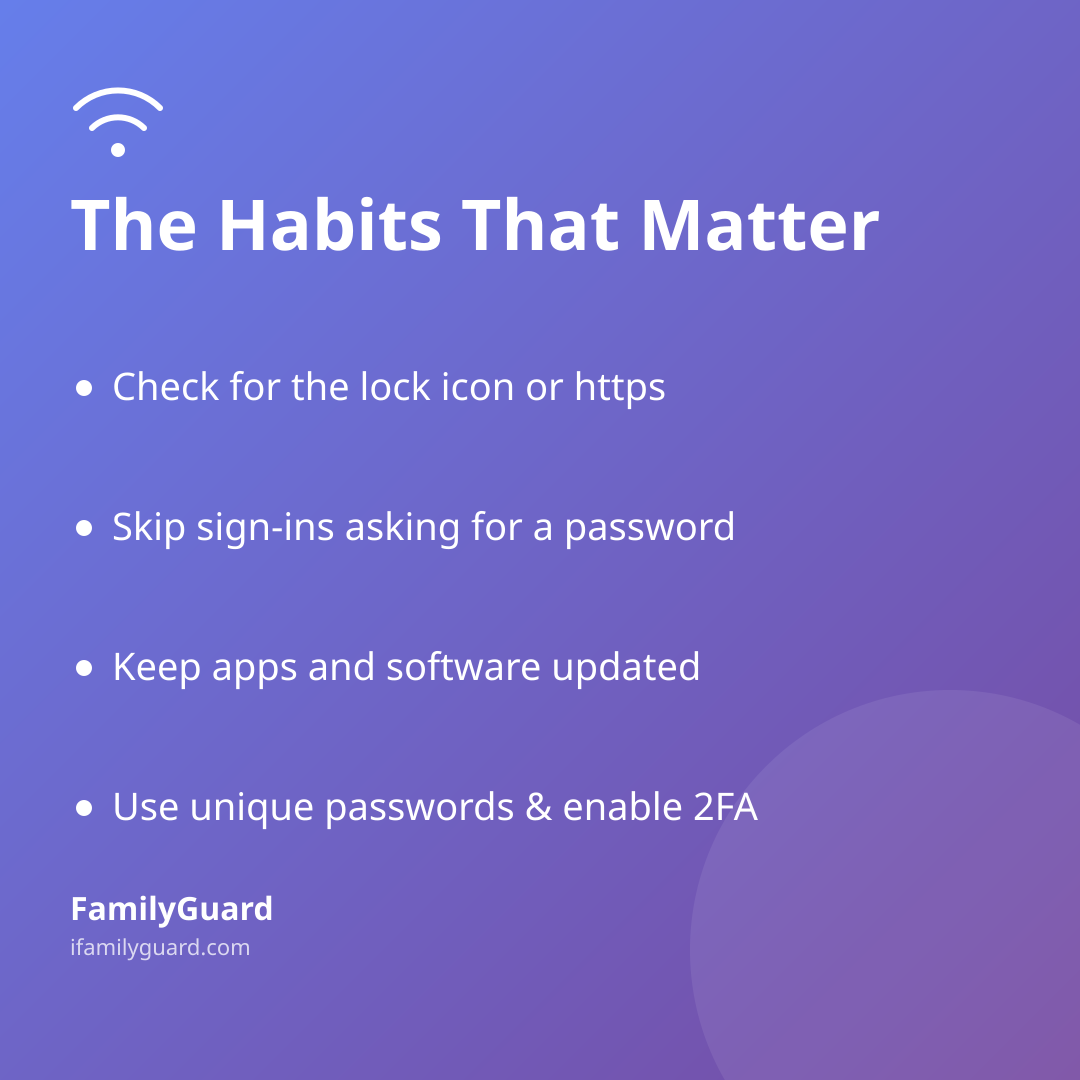
Instead of treating every public network as suspicious, it helps to focus on a short list of habits that genuinely reduce risk — for parents and kids alike:
- Look for the lock icon or "https" at the start of a website address before entering anything personal. The FTC (2023) notes this is a reliable sign that information is encrypted in transit, on both phones and laptops.
- Be wary of sign-in pages that ask for more than a name. A café or hotel Wi-Fi portal never needs a banking password, an email password, or a social media login. If a connection screen asks for one, close it.
- Keep apps and software updated. Many security fixes exist precisely to patch the holes that scammers rely on — this matters more than which network you're on.
- Use strong, unique passwords and turn on two-factor authentication where it's offered, so even a guessed or leaked password isn't enough on its own.
- Double-check you're on the real network. If a hotel or airport shows two similar-looking Wi-Fi names, ask staff which one is legitimate before connecting.
None of this requires constant vigilance. It's closer to locking the car — a quick habit, not a source of anxiety.
Teaching kids the habit, not just the rule
Kids pick up tech habits the same way they pick up most things: by watching what the adults around them actually do, not just what they're told. A useful rule of thumb for the family chat is: "If a Wi-Fi sign-in page asks for a password you already use somewhere else — a school account, a game, email — stop and ask."
It's also a good moment to talk about the difference between browsing (reading, watching, scrolling) and entering information (passwords, payment details, personal info). The first is low-risk almost anywhere. The second deserves a beat of caution, whether you're on public Wi-Fi or not. Framing it this way keeps the conversation calm and specific, rather than turning every café or hotel into something to fear — which only teaches kids to tune the warning out.
This fits naturally alongside other digital habits you're probably already building together, like using unique passwords or thinking before clicking a link — the same muscle, just applied to one more everyday situation.
Staying connected while you're out and about
For most families, the real reason Wi-Fi matters on a trip isn't browsing at all — it's staying reachable. A quick "we landed," a location check-in from the hotel lobby, or a message to confirm plans before a solo outing all rely on a connection working when you need it.
This is one area where it helps to have a system that's built around sharing within the family, with everyone's knowledge, rather than something that quietly runs in the background. Apps like FamilyGuard are designed around that idea — location sharing, one-tap SOS, and family check-ins that everyone involved has agreed to and can see, so staying in touch on an unfamiliar network feels like teamwork rather than monitoring.
A simple habit worth building before any trip: agree on how and when you'll check in, and make sure everyone's device is set up to do that reliably, whatever network you end up on.
A quick checklist before you head out
- Charge devices and know the family check-in plan for the trip or outing
- Remind kids: never enter a password you use elsewhere into a Wi-Fi sign-in page
- Check that apps and operating systems are reasonably up to date
- Point out the lock icon / "https" as the thing to glance for, not obsess over
- Agree on a simple check-in moment — arrival, bedtime, "we're heading back"
The bottom line
Public Wi-Fi doesn't deserve the scary reputation it once had, and your family doesn't need a long list of rules to stay safe on it. A few steady habits — spotting a secure connection, guarding reused passwords, keeping software current, and checking in with each other — cover almost everything that matters. The goal isn't to make kids nervous about every hotel lobby or coffee shop; it's to give them a habit they'll carry with them long after they've outgrown needing you to ask "did you connect to the Wi-Fi okay?"