
A few years ago, "that photo looks fake" was a joke about bad Photoshop. Today, a free app can take a single picture of your child and turn it into a video where they appear to say or do something they never did. This isn't science fiction anymore — it's a normal part of the internet your kids are growing up in. The good news: this is a conversation, not a crisis, and having it early makes all the difference.
What a Deepfake Actually Is
A "deepfake" is any photo, video, or audio clip that's been created or altered by AI to make it look like something real that never actually happened. It could be a silly face-swap filter, a fake celebrity video, a cloned voice in a scam call — or, more seriously, a fabricated image of a real person, including a classmate or family member.
Most of what kids encounter is harmless or even fun — meme filters, novelty apps, AI art tools. The part that deserves a calm, honest conversation is the smaller slice of cases where deepfake tools are used to embarrass, harass, or hurt someone, including making explicit fake images of real classmates without their knowledge or consent.
What the Research Actually Shows
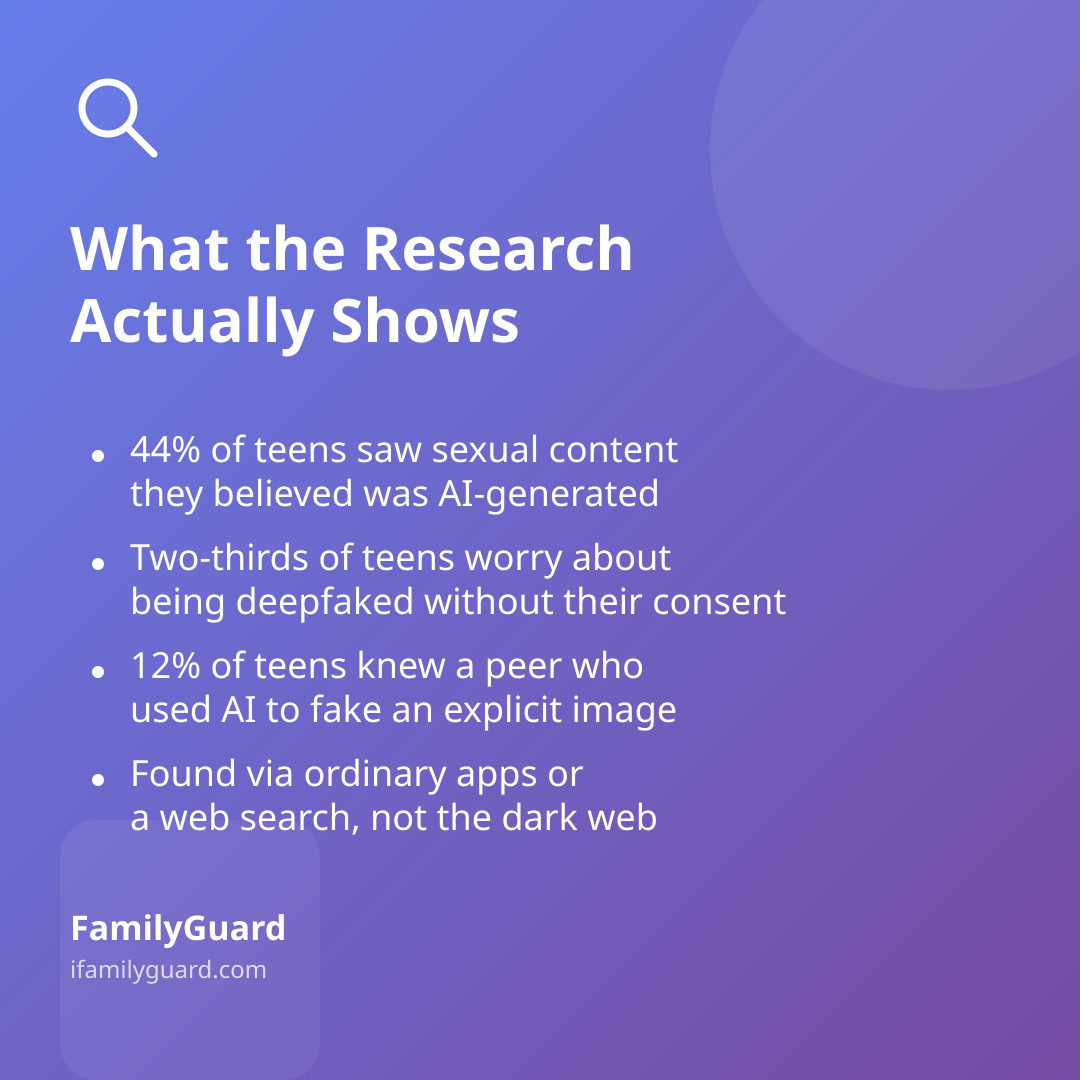
It helps to know the real scale of this, rather than guessing. A nationally representative survey of U.S. teens fielded in fall 2025 and published in 2026 by Common Sense Media's Youth AI Safety Institute found that 44% of teens said they had seen sexual content they believed was AI-generated, and two-thirds said they worry about being deepfaked without their consent. In response, many teens said they'd started making their social accounts private or posting fewer photos of themselves — a sign that kids are already thinking about this, even without adult guidance.
Separate research from the child-safety organization Thorn, published in 2025, found that 12% of teens said they knew of a peer who had used AI to create or share a fake explicit image of another minor. The same research noted that most young people who made these images found the tools through ordinary social media apps or a simple web search — not the "dark web," just apps kids already use.
None of this means every child will encounter this problem. It means it's common enough that a short, calm conversation is worth having before it comes up, rather than only after.
How to Bring It Up Without Scaring Anyone
You don't need a dramatic sit-down talk. Short, casual conversations tend to land better than one big lecture. A few ways to start:
- Use the news as an opener. "Did you know some kids are using AI to make fake photos of people at school? Has anyone mentioned that happening at yours?"
- Name it as a consent issue, not just a tech issue. Making or sharing a fake image of someone — funny or serious — uses their identity without asking. That's the same principle as not sharing a friend's real photo without checking first.
- Reassure them they won't be in trouble for telling you. Kids often stay quiet about a fake image of themselves out of embarrassment, not because they did anything wrong. Make clear that coming to you is always the safe move.
- Talk about creating, not just receiving. Ask directly whether your child has ever used a face-swap or "undress" app for a laugh. Many kids don't realize these tools can cause real harm, or that making a fake explicit image of a minor — even as a "joke" — can have serious legal consequences.
If It Happens to Your Family
If your child tells you a fake image or video of them (or a friend) is circulating, the priority is to stay steady — your reaction shapes whether they come to you next time.
- Don't delete anything yet. Screenshots, links, and usernames help if you need to report it.
- Report it on the platform. Most major apps have a specific reporting category for impersonation, harassment, or AI-generated content.
- Loop in the school if classmates are involved — this is often treated as a bullying or harassment matter, not just an online one.
- Use the CyberTipline. The National Center for Missing & Exploited Children (NCMEC) accepts reports involving explicit images of minors, including AI-generated ones, and can guide families on next steps.
- Consider legal advice if the image is explicit or being used to harass or extort — laws in this area are evolving quickly, and a local resource can tell you what applies where you live.
Building Everyday Media Literacy
The best long-term protection isn't a single talk — it's a habit of healthy skepticism you build together over time. Try weaving these into normal conversation:
- Practice spotting AI "tells" together — odd hands, mismatched lighting, unnatural blinking — as a low-stakes game rather than a warning.
- Ask "who made this and why?" about surprising videos or images before reacting or sharing them.
- Talk about how easy it is to fake a voice or video call, so a strange or urgent-sounding message from a "friend" or "relative" is worth double-checking directly.
- Model the same consent-first thinking your family already uses elsewhere — for instance, apps like FamilyGuard are built around only sharing information within the family and with everyone's knowledge, which is a useful, concrete example when explaining why using someone's image without asking is a real boundary, not just a rule.
The Takeaway
Deepfakes can sound alarming in a headline, but for most families this comes down to something familiar: teaching kids to think critically about what they see online, and to come to you without fear when something feels wrong. A calm, ongoing conversation — not a one-time scare — is what actually keeps kids prepared.